MessageSolution Knowledge Base and Customer Support Experiences
Welcome to the MessageSolution Knowledge Base for our email, file systems, SharePoint archiving, as well as for the data migration, eDiscovery and email continuity management solutions, for enterprise on premise, in the cloud, and in service partners’ cloud/ or data centers.
With over a decade of experience developing, deploying and support information archiving solutions, and through key industry partnerships with email platform providers, including the Microsoft gold partnership program, advanced business partner with IBM Domino, and Novell GroupWise, our engineering staff has developed an understanding of the intricacies involved in enterprise archiving and legal discovery space, which go far beyond the typical technical support skill set which normally cannot be transferred in a few months of training or the certification program.
It is our goal to leverage our technical knowledge and experiences to help our partners to ensure that our solutions effectively become an integral part of the end-users IT environment.
To VAR, Service and Hosting Partners:
To VAR, Service and Hosting Partners:
In order to ensure successful customer engagements, it is critical that our VAR partners and MSP/ISP service partner teams’ support personnel participate in training provided by MessageSolution support staff, prior to independently managing their client’s archives. In the first month of deployment process, a weekly engagement with MessageSolution support team to check up the system progress is recommended. Furthermore, it is also important that MessageSolution support continues to have remote access to the archiving servers, to assist in resolving issues timely.
Equally important to adequately support end-users on Microsoft platforms, service providing partners should have a Microsoft support subscription in place, in order to escalate end-user issues related to their Microsoft environment up to the Microsoft support organization.
This KB contains information on product performance, best practices, troubleshooting, administration, installation, maintenance programs, license support, and upgrades.
If you are experiencing a problem that is of critical importance, please call MessageSolution technical support at +1 (408) 383-0100, +1 (510) 857-5886 (Direct), or toll-free +1-888-858-7903 (24/7 voice relay).
 Technical Support Technical Support
|
FAQs – Questions about performance, best practices, and more.
| |
Product Basics
- Is Enterprise Email Archive a software or appliance-based solution?
- What storage devices does Enterprise Email Archive work with?
- Does Enterprise Email Archive work with instant messages?
- What file formats does Enterprise File Archive support?
System Requirements
- System requirements for Enterprise Email Archive
Platform Requirements
Email Servers Supported
- Which operating systems does Enterprise File Archive support?
- Do I need to install Enterprise Email Archive on a separate machine?
- Will I need to purchase any additional software or databases for Enterprise Email Archive?
- Will I need to install anything on my email or file server?
Performance
- My organization has a lot of high-traffic email users. What kind of workload can Enterprise Email Archive handle?
- Can Enterprise Email Archive perform ‘real-time’ or ‘journal’ archiving?
- How is EEA distributed in organizations with multiple locations?
- Can the system perform multiple tasks or multiple archiving simultaneously (real-time archiving, PST migration, back-end database indexing)?
- How fast is the search?
Impact on Resources
- How much of my CPU resources will Enterprise Email Archive use?
- Will Enterprise Email Archive affect my email server in any way?
Impact on End Users
- Does Enterprise Email Archive require end-users to install, configure or administrate anything?
|
|
How-to's & Troubleshooting
| |
* For email or OS platform-specific troubleshooting, please visit our Server-Specific Troubleshooting page.
Installation Process
- How to Install Enterprise Email Archive
- How to Speed Up the EEA Installation Process
- How to Configure or Change the Management Console
- How to Configure the Authentication Servers
- How to Enable SSL for Web Interface
- How to Sign the SSL Certificate
- How to configure SSL for Active Directory Integration
- How to Manage ICon When Stub Email or/and Attachment
User Management
- Adding multiple administrators
- Adding and deleting users from the directory
- Cannot retrieve users from Authentication Servers
- Replacing Licenses (Trial or Purchased)
Archiving Processes
- Archiving historical mails
- Filtering emails
- How to Check the Archiving Progress
- How to Check Folder Count
- How to Check for Failed Index Mail
- No new emails are being archived
- Users cannot find archived newsletters
Search Feature
- Search results are not correct
- Users cannot find archived newsletters
- Archive search is non-functional
PST Migration
- PST Migration Manager
Logs and Backend
- Backing up the EEA
- Locations of Log Files
- How to Enter the MySQL Back-End
Errors & Error Messages
- Page Not Found Error
- Administrator Login Page does not display
- Attachment information database table corruption
- HTTP 500 Error (after upgrading to Red Hat 5.1 or 5.2)
- Java Heap Space is out of memory
- Left frame of Web Console displaying “Unexpected Error” message
|
|
Troubleshooting Server-Specific
| |
EMAIL SERVER-SPECIFIC
Microsoft Exchange
No emails pre-dating 1995 in Archive
How to Deploy the Outlook Plug-In to Multiple Computers
How to Enable Journaling or Real-Time Archiving on Exchange
How to Pull all Messages from Exchange Server
How to Replicate User Folders from Exchange
IBM Lotus Domino
How to Pull all Messages from Lotus Domino Server
OS PLATFORM- SPECIFIC
Windows
EEA Server Services for Windows
How to Change the Web Console Port on Windows
How to Manually Start, Stop, and Restart EEA Services on Windows
RedHat 5.1, 5.2
HTTP 500 Error (after upgrading to Red Hat 5.1 or 5.2)
|
|
License Support
| |
Pricing for Enterprise Email Archive is set according to how many licenses you will need. You will need one license for every mailbox you want to actively archive. Licenses do not expire and can be applied to multiple accounts (not simultaneously, however).
Saving on Licenses
If you want to archive new users’ emails, and you have de-activated archiving for certain accounts, you can avoid purchasing new licenses for your new users by applying those inactive licenses to the new users’ accounts.
Q. How do I apply an unused license to a new user?
A. First, enter the Administrative web console. Then click the User Management tab.
Find the user or account that you wish to de-activate archiving for (if you have not already done
so) and uncheck the box marked ‘Archiving’ next to that user’s name. This will free up user
licenses that can be applied to new users or other accounts.
To apply these unused licenses to a different user/account, simply check the ‘Archiving’ box for
the user to whom you want to apply the unused license. This will enable archiving for that user.
|
|
Requesting More Licenses
| |
Pricing for Enterprise Email Archive is set according to how many licenses you will need. You will need one license for every mailbox you want to actively archive. Licenses do not expire and can be applied to multiple accounts (not simultaneously, however).
If you have no inactive licenses to apply to new users, please contact your MessageSolution Account Executive to request new licenses. If you do not remember your Account Executive, just send an email to support@messagesolution.com with the following information:
- Your name
- Your organization
- How many new licenses you require
- Which edition of Enterprise Email Archive you are running (please include version number)
- Whether these licenses will be for the Suite, Professional or Express edition (or how many of each)
|
|
Renewing Your Software Maintenance Program (SMP)
| |
MessageSolution On-Site Software Licensing Terms and Conditions and Annual Standard Software Maintenance Program 
MessageSolution Annual Standard Software Maintenance Program Certificate and Description
Congratulations! You are granted the MessageSolution Standard Annual Software Maintenance Program (SMP) under the following terms. Please refer to the invoice for program commencing and ending dates.
Annual standard SMP Basics
The Software Maintenance Program (SMP) is initially licensed with MessageSolution Enterprise Email Archive and Enterprise File Archive products. The SMP includes free updates and software version upgrades (i.e. version 5.0 to version 6.0), as well as email and phone support during business hours from Monday to Friday 7:00 AM to 5:00 PM Pacific Standard Time.
The SMP must be licensed with the purchase of MessageSolution archiving products; the cost for the annual Standard SMP per year is 20% of the licensing cost. The annual Premium SMP includes unlimited 24/7 email and online conference technical support and scheduled phone support during business hours.
On-site engineering support is available for customers who have purchased the Annual SMP at a fee of $250 per 30 minutes, plus travel expenses.
How to Renew Your SMP
Customers wishing to renew their Standard Maintenance Program must do so within 60 days of the one year anniversary date of their original licensing and SMP purchase. If your one year anniversary date is approaching and you would like to renew your SMP, please contact your MessageSolution Account Manager. If you do not remember the name of your Account Manager, please send an email to support@messagesolution.com:
- Your name
- Your organization
- Original date of purchase (or estimated date, if unknown)
- How many years of SMP you would like to purchase (multi-year SMP discount rates available)
Exceptional Situations
The SMP does not include any new product module releases (such as content management, disaster recovery, etc.), major module or function enhancements, or any technology company or outside technology acquired by MessageSolution. Software Maintenance Program terms are subject to change without notice.
The deployment and configuration processes covered in the SMP do not include professional services to assist with archiving, indexing, and file migration processes that require data to be imported or migrated into the archive from email or file server(s), individual users’ desktops, or any location within the network, nor does deployment include file conversion out of MessageSolution Archive Server(s). Customers conducting email server upgrades requiring mass data migration support must purchase additional MessageSolution supporting hours. If you need migration assistance please directly contact your Account Manager for details or email support@messagesolution.com.
In the event that a customer is not in good standing when renewing the annual SMP (beyond 60 days of the SMP expiration date) to obtain a newer product release or upgrade, the cost shall be 50% of the on-going market price for the edition of EEA (EEA Express or Suite Edition) that the customer originally licensed. The fees of 20% for standard SMP (EEA at market price) and 10% for the remote installation assistance shall also apply.
|
|
Version upgrade information
| |
MessageSolution Product Lifecycle Policy is minimum of 3 years support for its business applications since the initial release date of each product version.
Customers with a valid SMP have unlimited free upgrades to newer versions of the MessageSolution archiving product originally licensed.
To find out what new features and improvements will be available in the next release, or to request an upgrade, contact your MessageSolution Account Manager. If you do not know your Account Manager, please send an email to support@messagesolution.com or call 1-888-858-7903.
|
|
Off Hour Support
| |
MessageSolution provides professional engineering (PES) support outside the regular support hours (7:00AM to 5:00PM Pacific Standard Time). For the off hour support sessions, the rates are $125 per hour on email support (minimum $125) and $225 per hour online live support (minimum $275).
|
|
|
| |
 Cloud Computing Feature Lists & Technical Support Documentation Cloud Computing Feature Lists & Technical Support Documentation
|
|













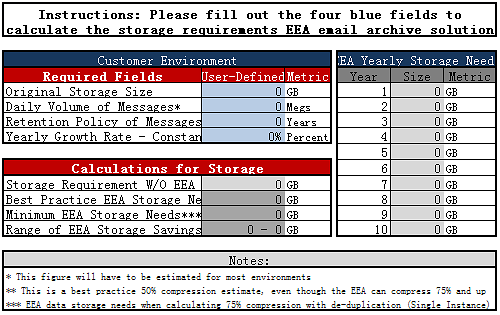


 Technical Documents


 MSP / ISP Hosted Platform
 Marketing Documents